5 Best Globe Animation Tools in 2026 (Honest Comparison)
Globe animations are everywhere — from CNN news segments to travel vlogs, from corporate presentations to documentary intros. But which tool should you use to create them?
In 2026, the landscape of globe animation tools has expanded significantly. Here's an honest breakdown of the five best options, their strengths, their weaknesses, and who each one is best for.
1. Globe Studio
Globe Studio is a standalone desktop app built specifically for cinematic 3D globe animations. It uses real NASA Blue Marble textures (up to 16K resolution) and renders a true 3D globe with atmospheric scattering, sun simulation, and anamorphic lens flares.
The workflow is storyboard-based: add locations, customize the look, and export. No 3D experience required.
Best for: Broadcast-quality globe animations, travel intros, news graphics, and corporate presentations where cinematic visual quality matters.
Strengths:
- Purpose-built for globe animations with the deepest feature set
- Animated flight arcs with gradient trails and customizable styles
- Country highlighting (fill, border, or both) with per-location overrides
- Wave effects radiating from locations
- Sun simulation, city lights, star field, and cloud layers
- Offline desktop app — no internet needed after download
- One-time purchase ($19.99) — no subscription
Weaknesses:
- macOS only (Windows support planned)
- No flat 2D map animations
- No AI-powered creation
Pricing: Free tier (720p + watermark) / $19.99 one-time Pro purchase
2. Google Earth Studio
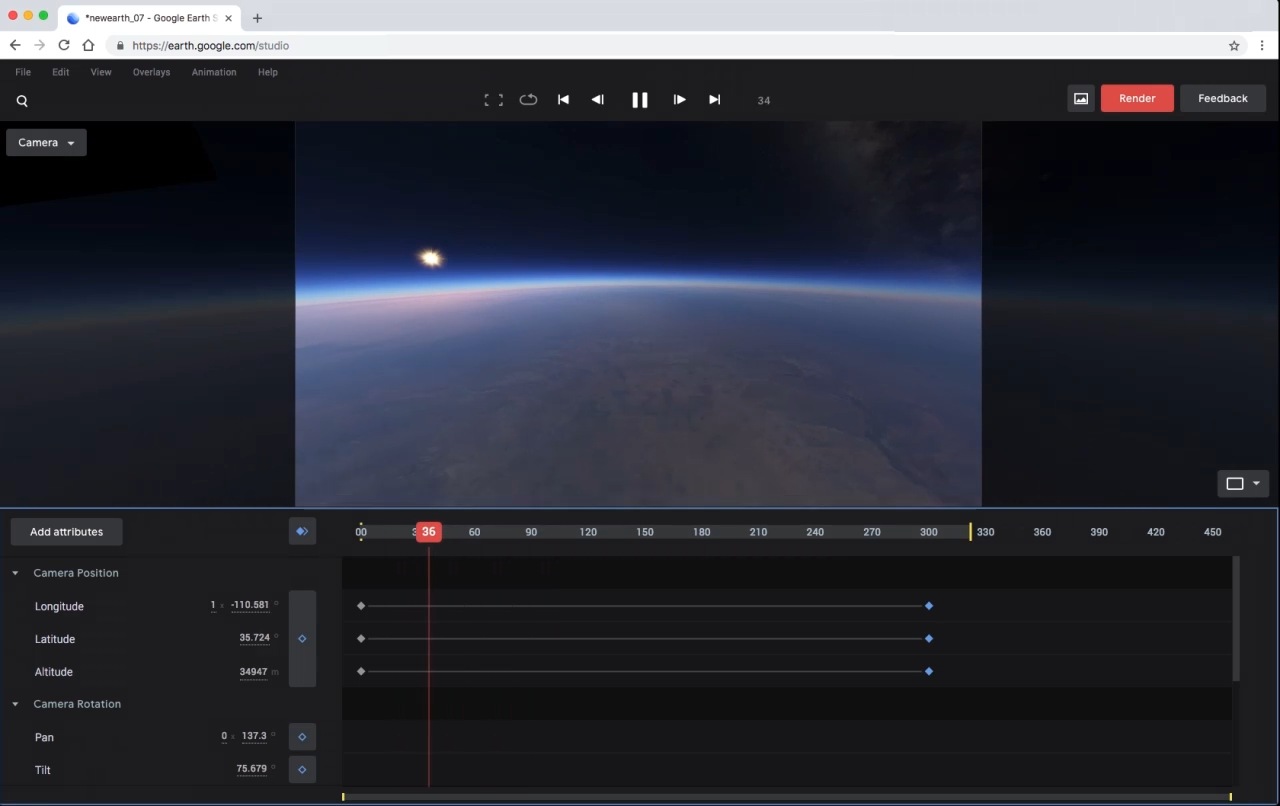
Google Earth Studio is Google's free browser-based tool for creating animations using real satellite imagery from Google Earth. It's the go-to choice when you need photographic realism of real-world locations.
Best for: Real satellite imagery flyovers, geographic context videos, location-specific footage.
Strengths:
- Free to use
- Real satellite and 3D terrain imagery
- Keyframe-based animation with After Effects camera export
- Street-level detail for specific locations
Weaknesses:
- Chrome only, requires Google account
- No creative control over visual style
- No flight arcs, pins, or country highlighting
- Cannot work offline
- Limited to what Google Maps shows you
Pricing: Free (with Google account)
3. Mapimator
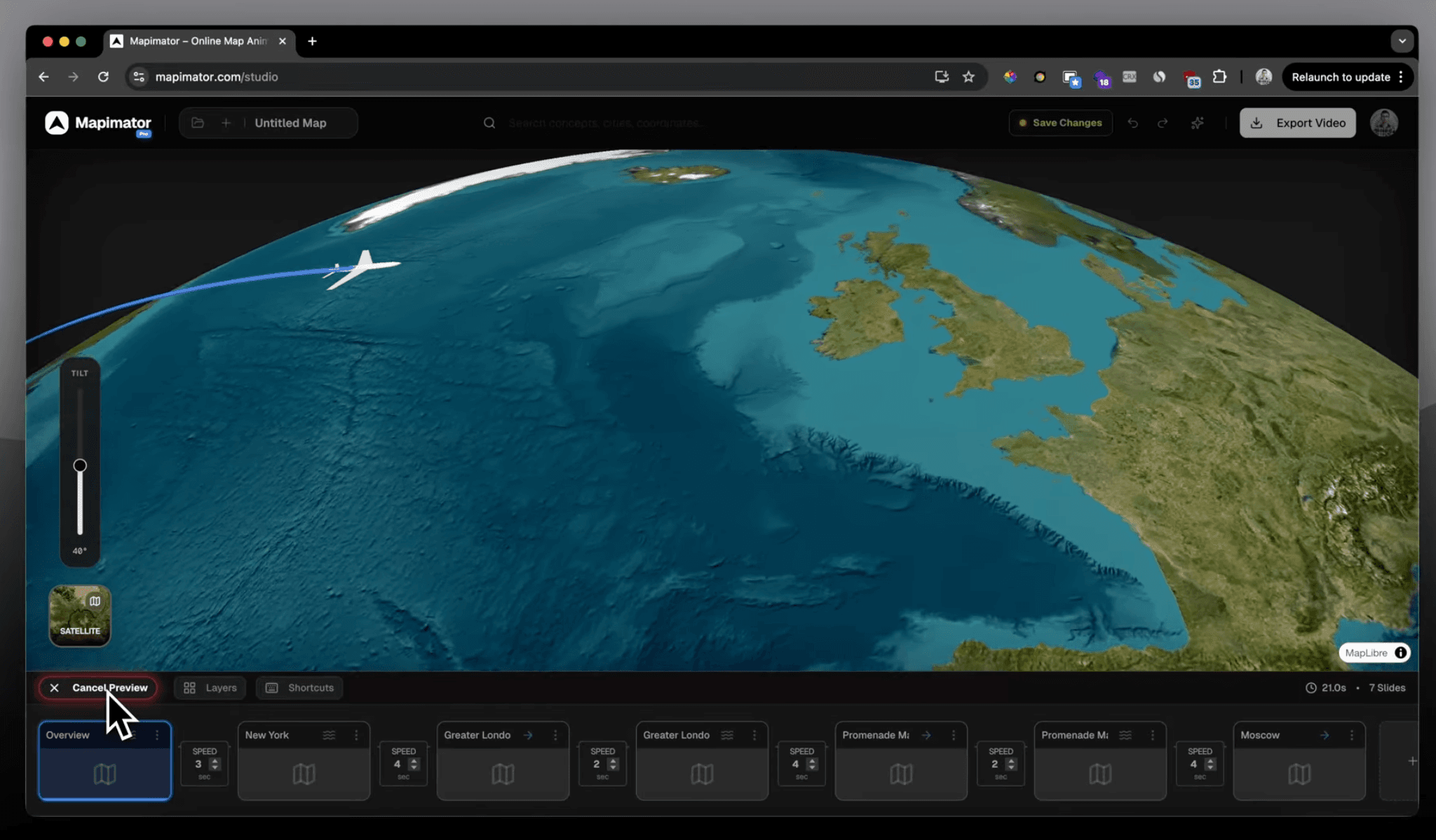
Mapimator is a browser-based map animation tool with 60+ map styles, AI Director for prompt-based creation, and up to 4K export. It's particularly strong for route animations and travel content.
Best for: Travel vloggers, history YouTubers, and anyone who needs flat or 3D map tile animations quickly.
Strengths:
- 60+ map styles including satellite, terrain, and political
- AI Director creates animations from text descriptions
- Real driving route data
- Country and region highlighting
- Browser-based — no installation needed
- Large tutorial library
Weaknesses:
- Not a true 3D globe — uses map tile rendering
- No atmospheric effects, sun simulation, or lens flares
- No animated flight arcs with gradient trails
- Monthly subscription model
- Requires internet connection
Pricing: Free (720p, watermark, 1 export/month) / Pro $12/month or $99/year
4. Animaps
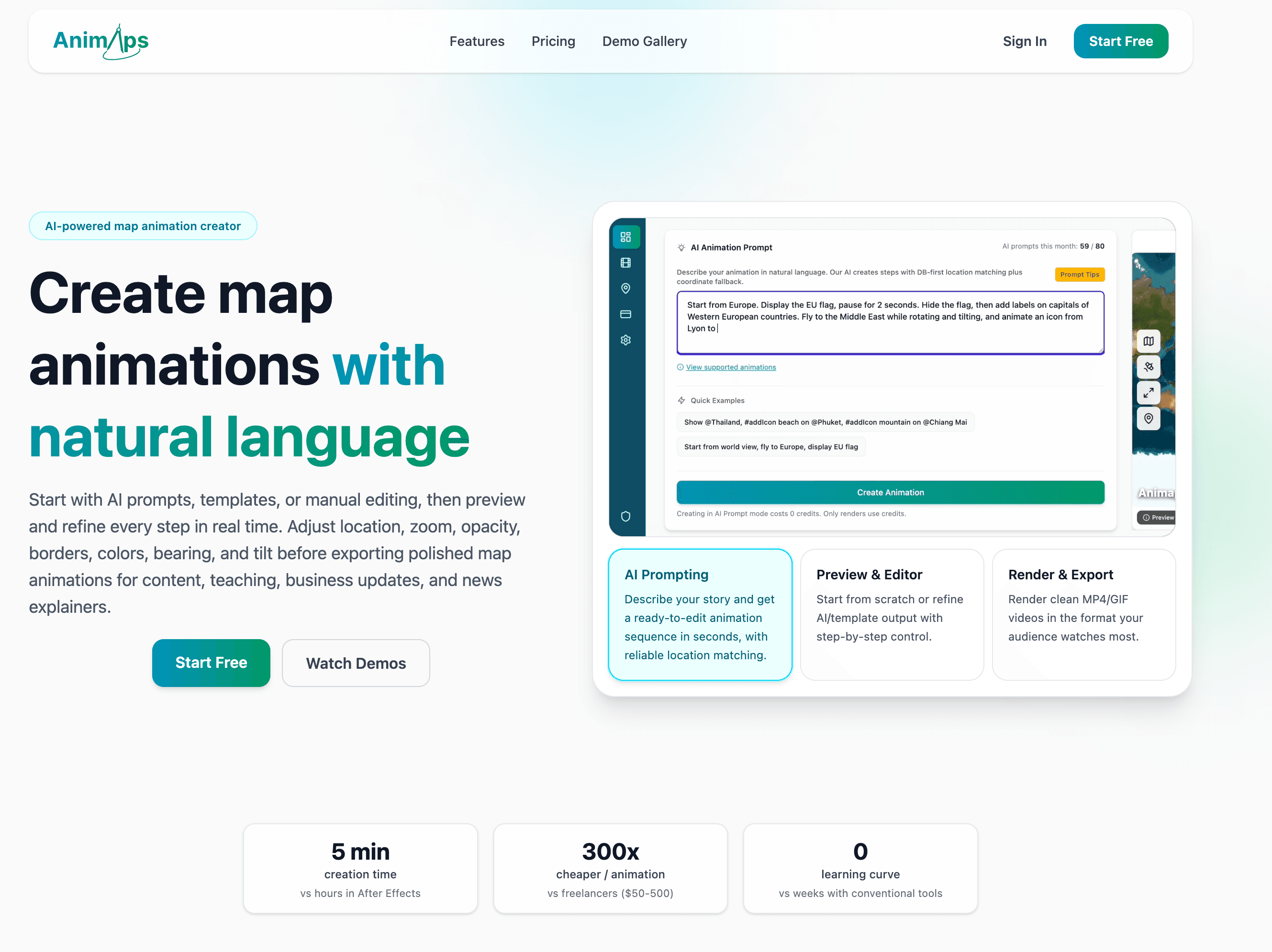
Animaps is an AI-powered map animation generator with 30+ animation types. You describe what you want in natural language, and the AI creates the animation. It's the fastest way to go from idea to output.
Best for: Quick social media map clips, educational content, and anyone who wants AI to handle the design decisions.
Strengths:
- Natural language creation — describe what you want
- 30+ animation types (zoom, orbit, trace borders, fill land)
- Very fast from idea to export
- Both flat map and basic globe views
Weaknesses:
- Basic globe rendering (not cinematic)
- No atmospheric effects or sun simulation
- AI control means less manual precision
- Still in early stages with credit-based pricing
- Browser-based only
Pricing: Credit-based (details TBD)
5. After Effects (with GEOlayers or ORB)
Adobe After Effects with plugins like GEOlayers or Video Copilot's ORB is the traditional professional approach. It offers unlimited creative control but requires significant expertise and time investment.
Best for: Motion graphics professionals who already know After Effects and need the globe animation as part of a larger compositing project.
Strengths:
- Unlimited creative control
- Deep compositing and motion graphics integration
- Huge ecosystem of plugins and templates
- Industry-standard for broadcast production
Weaknesses:
- Steep learning curve (150+ hours to proficiency)
- Requires $22.99+/month subscription plus plugin costs
- Hours of work per animation
- Globe templates are rigid and break when modified
- Frame-by-frame rendering is slow
Pricing: $22.99+/month (After Effects) + $99 (GEOlayers) or plugin costs
The Verdict
There is no single best tool — it depends on what you're making.
Choose Globe Studio if you want the highest quality cinematic globe animations without the complexity of professional 3D software. It's the only tool that combines atmospheric effects, flight arcs, wave effects, and cinematic camera paths in a purpose-built package.
Choose Google Earth Studio if you need real satellite imagery. Choose Mapimator if you need flat map route animations. Choose Animaps if speed matters most and AI-driven creation fits your workflow. Choose After Effects if you're already a motion graphics professional and need the globe as part of a larger project.
For most creators who specifically need globe animations, Globe Studio offers the best balance of quality, speed, and cost.